Roles and Permissions
ExamCraft AI uses a role-based access control system (RBAC). Each user is assigned a role that determines which features they can use.
Navigate to /admin and select the Roles tab to view the role assignments for your institution.
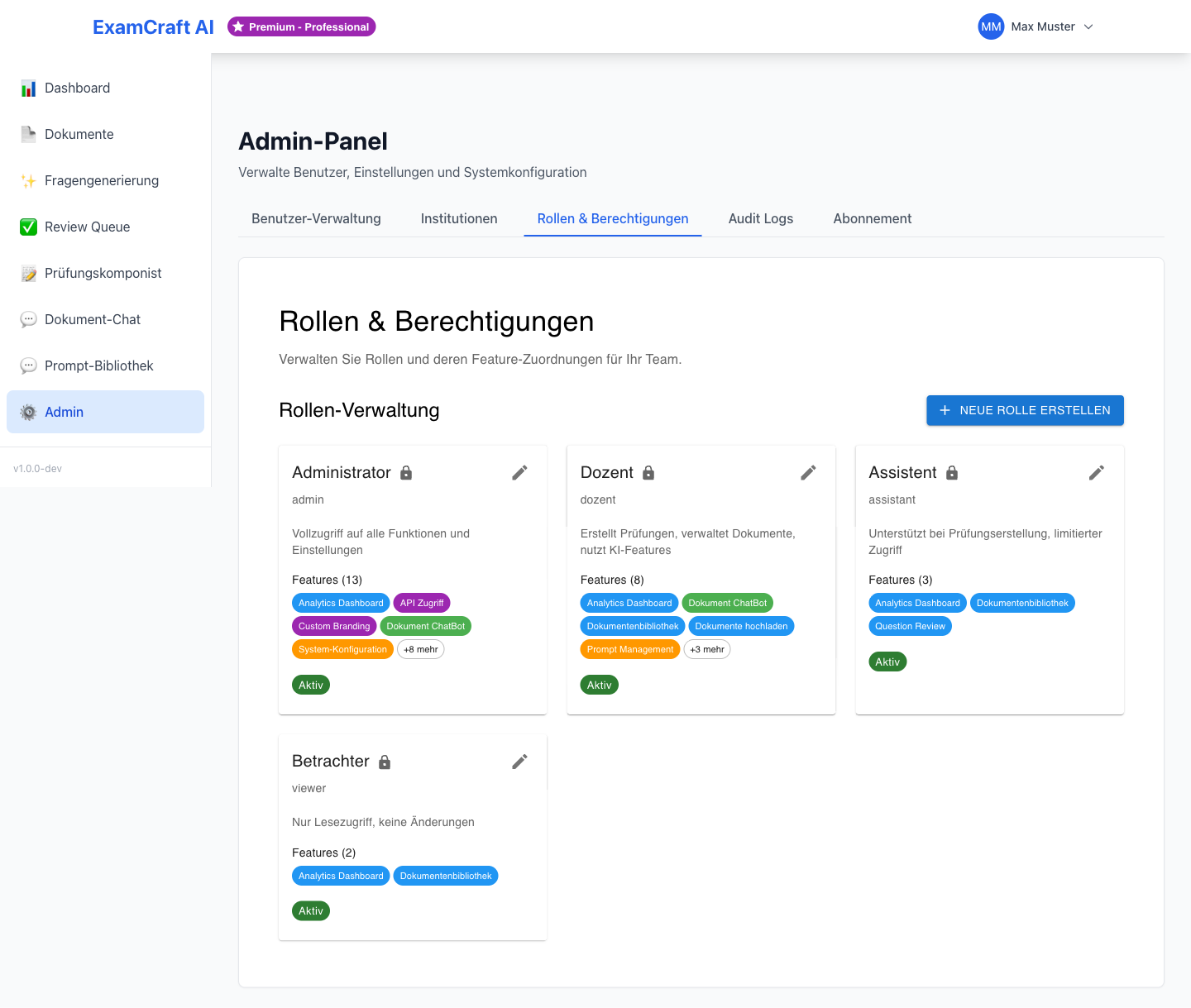
Available Roles
ExamCraft AI has two roles:
| Role | Description |
|---|---|
| INSTRUCTOR | Default role for teaching staff — access to all learning features |
| ADMIN | Extended role for institution administrators — additional access to the admin panel |
Permissions Overview
| Feature | INSTRUCTOR | ADMIN |
|---|---|---|
| Upload and manage documents | ✓ | ✓ |
| Generate AI exams | ✓ | ✓ |
| Generate RAG exams | ✓ | ✓ |
| Use Review Queue | ✓ | ✓ |
| Use Exam Composer | ✓ | ✓ |
| Use Prompt Library | ✓ | ✓ |
| Edit own profile | ✓ | ✓ |
| User management | — | ✓ |
| Manage institutions | — | ✓ |
| View usage overview | — | ✓ |
| Assign roles | — | ✓ |
| Manage subscription and quotas | — | ✓ |
View submissions (submissions:read) |
✓ | ✓ |
Import submissions (submissions:import) |
✓ | ✓ |
Grade submissions (submissions:grade) |
✓ | ✓ |
Manage students (students:manage) |
— | ✓ |
Configure Moodle connection (moodle:configure) |
— | ✓ |
Manage grading schemes (grading_schemes:manage) |
— | ✓ (Enterprise) |
Manage organizational units (manage_org_units) |
— | ✓ |
Assigning or Changing a Role
Role assignment is done in User Management:
- Navigate to
/admin→ Users tab - Open the desired user
- Select the new value in the Role field (
INSTRUCTORorADMIN) - Click on Save Changes
The new role takes effect immediately — the user will see the updated interface on their next page load.
Assign the ADMIN Role Sparingly
Only assign the ADMIN role to people who genuinely need to manage users and institution settings. Too many administrators increases the risk of unintentional configuration changes.
Subscription Tiers and Permissions
The role (INSTRUCTOR / ADMIN) controls who can access which features. The subscription tier (Free, Starter, Professional, Enterprise) additionally controls how much a user can use — for example, the number of documents or questions that can be generated per month.
Both mechanisms operate independently: an ADMIN on the Free tier has access to the admin panel but the same usage limits as an INSTRUCTOR on the Free tier.
Update Notice v1.4 — New Permissions
Automatic Assignment to Reviewer Role
With the v1.4 update, the Reviewer role automatically receives the submissions:grade permission. Anyone who wants to separate grading from pure review activity should define a custom role without this permission before the update.
The grading_schemes:manage permission is not assigned automatically — it is exclusively reserved for Admin and Institution Owner roles in the Enterprise tier.
Default Role Mapping (from v1.4)
| Role | New Permissions |
|---|---|
| INSTRUCTOR | submissions:read, submissions:import, submissions:grade |
| ADMIN | All of the above + students:manage, moodle:configure |
| Institution Owner | Additionally grading_schemes:manage (Enterprise) |
Update Notice v1.8 — New Permission
Organizational Units
With v1.8, the manage_org_units permission was introduced. It is assigned to the ADMIN system role by default and controls creating, moving, deleting, and viewing the full list of organizational units (departments/teams) in the admin panel. Without the permission, the tab stays hidden; every user still sees their own memberships.
An organizational unit can additionally grant its direct members a role automatically, and control who can see resources with team visibility. See Organizational Units for details.
Default Role Mapping (from v1.8)
| Role | New Permissions |
|---|---|
| ADMIN | manage_org_units |
| INSTRUCTOR | — |