Setting Up the Moodle Connection
Required Configuration for Production
The Moodle access token is stored with Fernet encryption. For production use, the environment variable MOODLE_TOKEN_ENCRYPTION_KEY must be set with a 44-character Fernet key. If it is missing, the application falls back to a default mechanism that is unsuitable for production.
The Moodle connection allows instructors to import exam results directly via API without manual CSV export. This setup is performed once per institution by an administrator.
Prerequisites in Moodle
- Site Administration → Plugins → Web Services → Overview: Enable Web Services
- Enable the REST protocol
- Create an external service and assign the following functions:
mod_quiz_get_quizzes_by_coursesmod_quiz_get_user_attemptsmod_quiz_get_attempt_reviewcore_webservice_get_site_info(for the test button)- Generate a token for a system user with the required permissions
Generating an Encryption Key
Run the following command on the server and enter the output as MOODLE_TOKEN_ENCRYPTION_KEY in your .env file:
python -c "from cryptography.fernet import Fernet; print(Fernet.generate_key().decode())"
The key is exactly 44 characters long and must be kept secret. If the key is lost, all stored tokens must be re-entered.
Setting Up the Connection
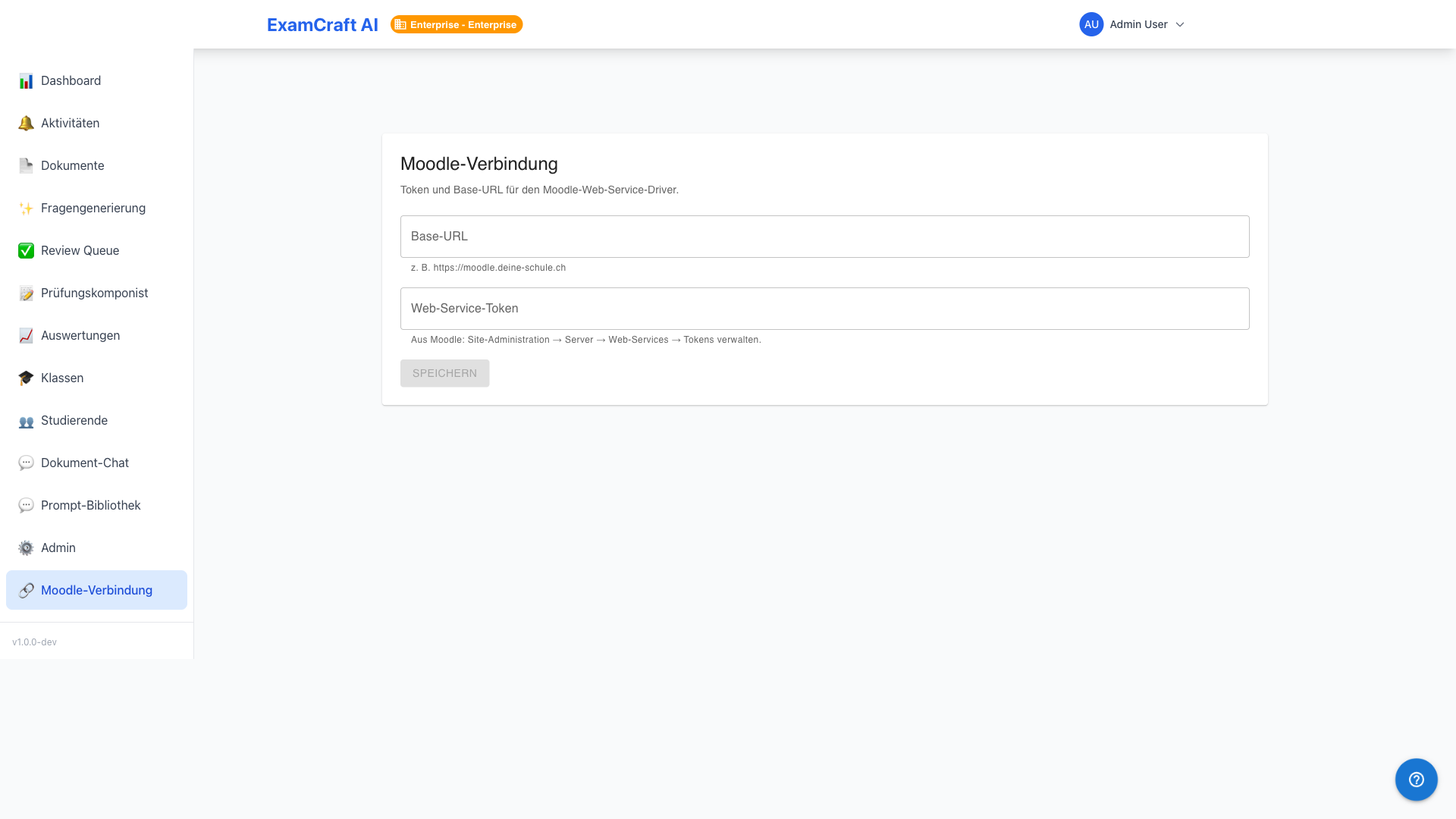
- Navigate as an admin to
/admin/integrations/moodle - Click on New Connection
- Fill in the fields:
| Field | Example | Note |
|---|---|---|
| Name | "Moodle University of Bern" | Display name for instructors |
| Base URL | https://moodle.example.ch |
Without trailing / |
| Token | abc123... |
Copied from Moodle |
- Click on Test Connection — ExamCraft calls
core_webservice_get_site_info. On success, the Moodle site name appears as confirmation. - Save
How the API Import Works Internally
During import, the following query sequence runs:
mod_quiz_get_quizzes_by_courses— list all quizzes in the coursemod_quiz_get_user_attempts— retrieve all attempts per studentmod_quiz_get_attempt_review— fetch detailed answers per attempt
Question mapping is done based on Moodle question IDs, which instructors enter once in the Question ID Round-Trip.
Multi-Tenant Isolation
Each institution manages its own connections. Tokens and connection data are not accessible across institutions.